
The idea
The initial idea was to create an interactive relaxation application, which would lead the user through nice-looking visuals and music and dynamically respond to the user’s actions.
The topic was chosen to be the buddhism after-death spiritual experience called Bardo, which is believed to be experienced between the death and reincarnation (rebirth) and lasts for 48 days.
Unity game engine was chosen as the main development tool for numerous reasons:
- Unity is free;
- Unity is easy to work with, yet allows very complicated and powerful projects;
- We already have some experience of working with Unity from 1st year;
- Unity supports complex visual effects and is able to automatically optimise them in order to seamlessly work on every computer;
I decided to work alone on this project.
Development
So it all started with the soundtrack, which was chosen to be the main interactive element.
I decided to develop 3 musical pieces (each about 2 minutes long) and find the way to let player interact with them without getting into too much complicated programming at the same time.
After I started composing in my home studio, the solution turned out to be rather simple – I decided to create 5 harmonic arrangement layers of every piece, and let player blend them together in different variations by moving in space. Programming-wise making the sound associate with player’s position to fade in and out didn’t seem a complicated task either.
So I ended up with this (all music composed in Ableton Live 9 using software instruments and samples:

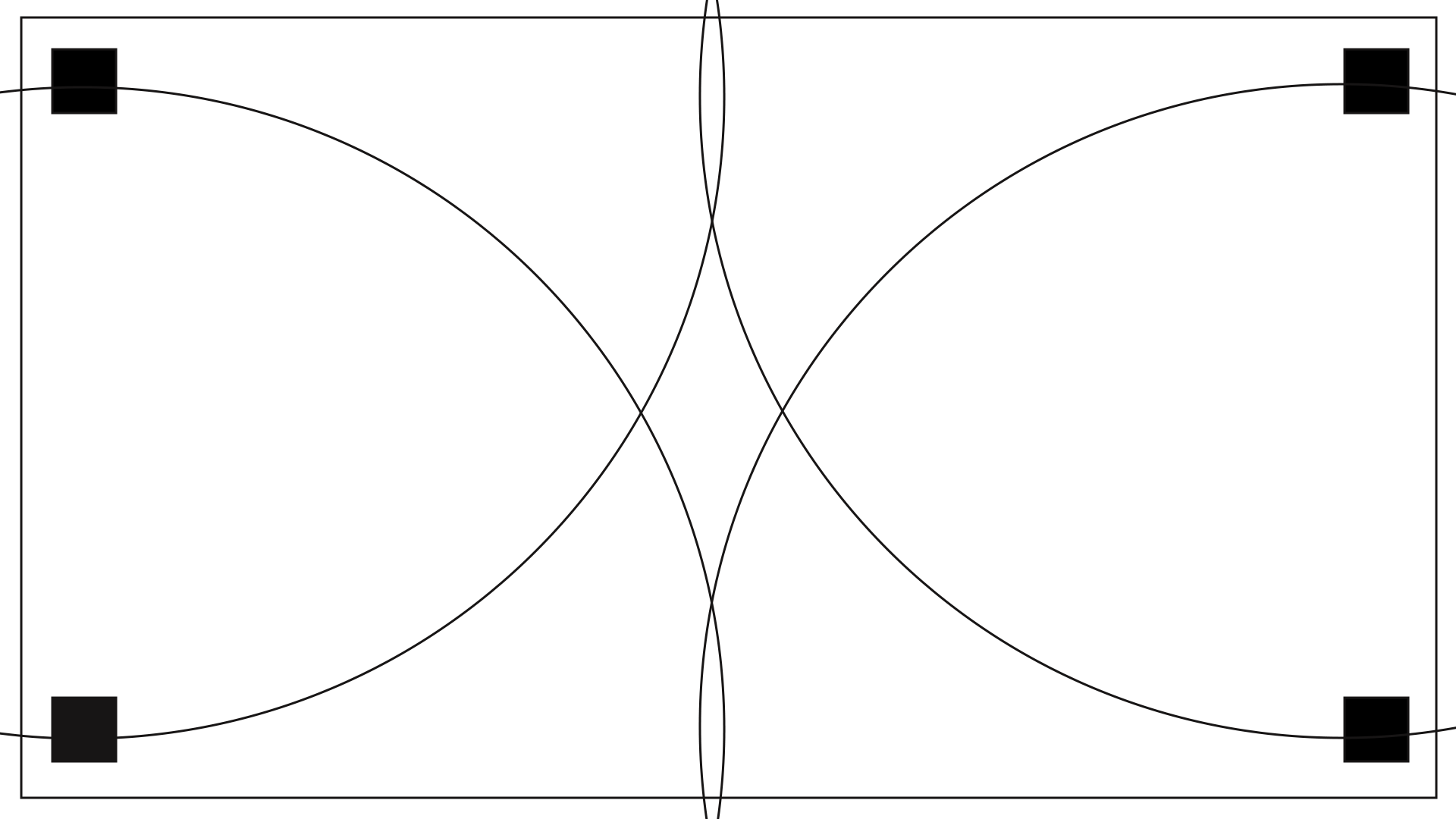
I exported the tracks by groups, so at the end I had 5 audio files with the same length (named after the corners of the screen they are supposed to be held):
- Background (the foundation of every piece of music which would be playing continuously and let other sounds just layer over it);
- L Top;
- L Bottom ;
- R Top;
- R Bottom;
In the game scene they were arranged according to this scheme:
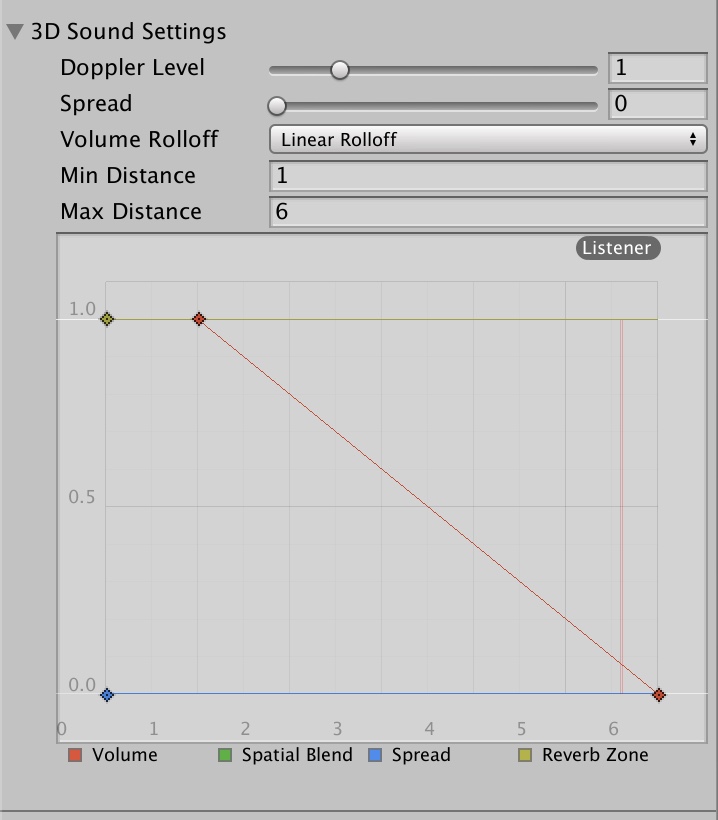
After locating the sound sources in 2D plane and assigning the audio tracks to them, setting up the right perception of sound was easy (with each sound fading out as the player moves out from the corner):
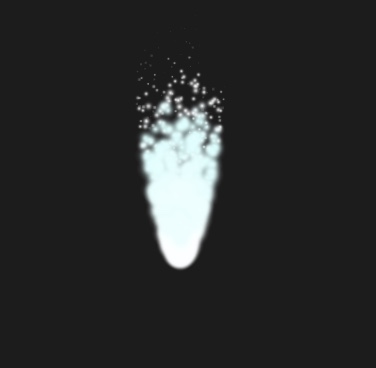
The next step of development was the player-controllable stream of light, symbolising the soul. It was brought into life using the particles effect with multiple layers and a separate one for the light trails it would leave while moving. It was also programmed to change it’s shape throughout the journey via Animator.
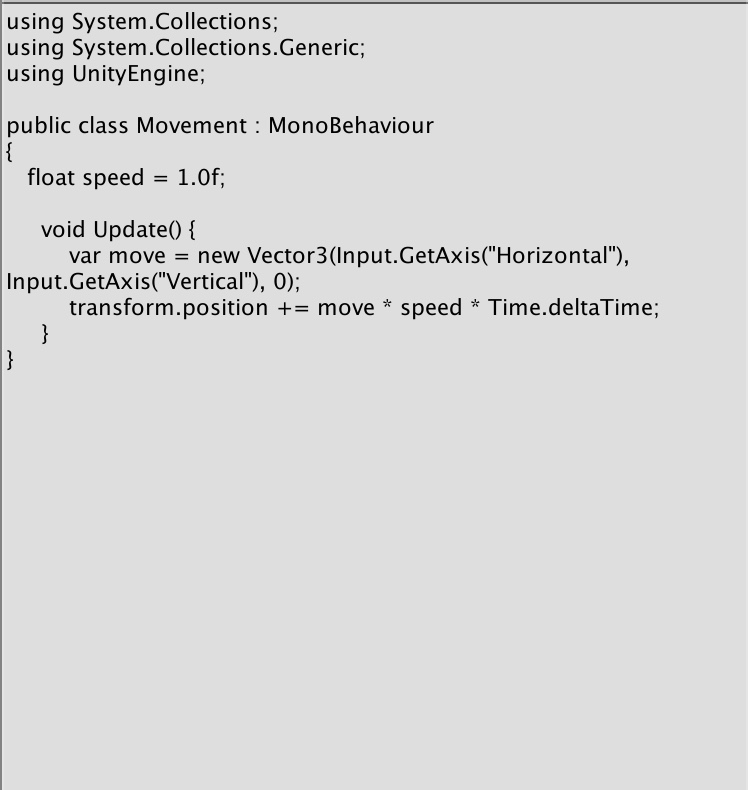
In order to implement the keyboard control on 2D place, the following C# script was used:
For the backgrounds (and there were three of them evolving one into another) I also used particle emitters of different colours and with different sprites:
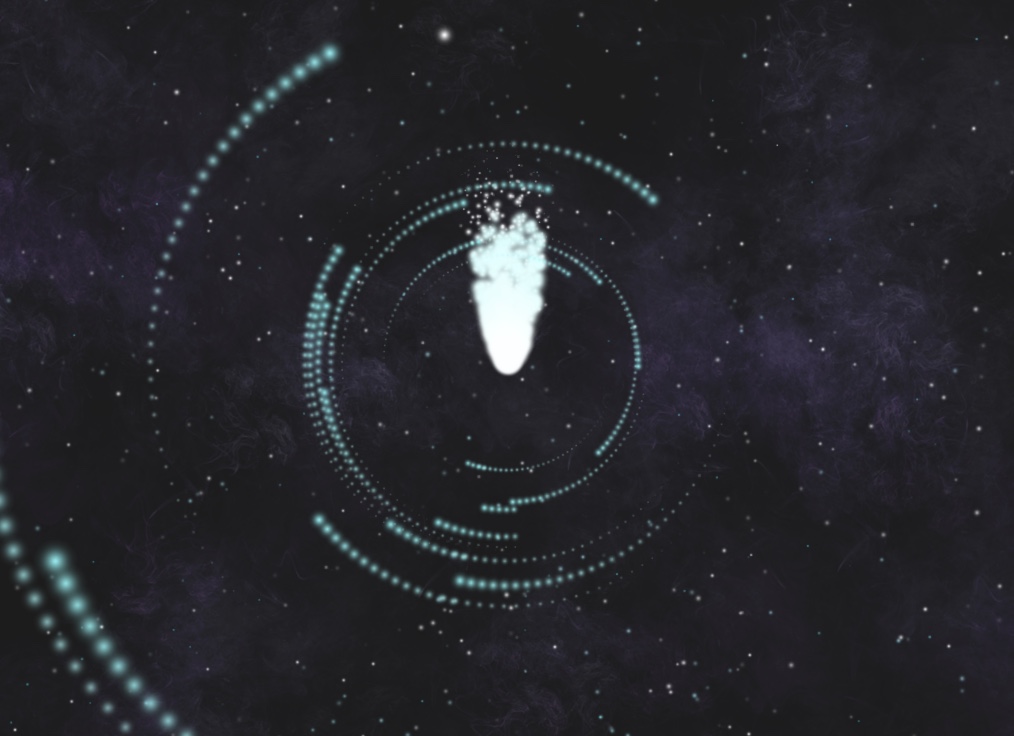
So, for example, here we have 4 layers of particle emitters with different settings:
- Background tiny “stars”;
- “Nebulas” (smoke sprite with different colour filters);
- Spiral (transparent particles with orbital velocity, each with sub-emitters);
- Randomly appearing white particles;
Lastly, the opening and closing tiles are just the video made in After Effects, with everything in between the opening and ending being transparent (encoded with Apple ProRes 4444 Codec).
 Media Exploration